Vendor Registration- Dokan Cloud
Vendor can easily register on the Dokan cloud and start selling their products.
Here’s how vendors can register on the marketplace using Dokan.
Click on the *Sell on “Marketplace Name”* option on the top left-hand corner of the home page.

Next vendors need to provide their first and last name, email address and set their passwords. Or they can sign up using their email address.

Next choose the business type,

Now vendors need to add their company information-

Now vendors need to add their Store Address,

Vendors need to verify their email address by copying and pasting the verification code-

After that they need to verify their contact information-

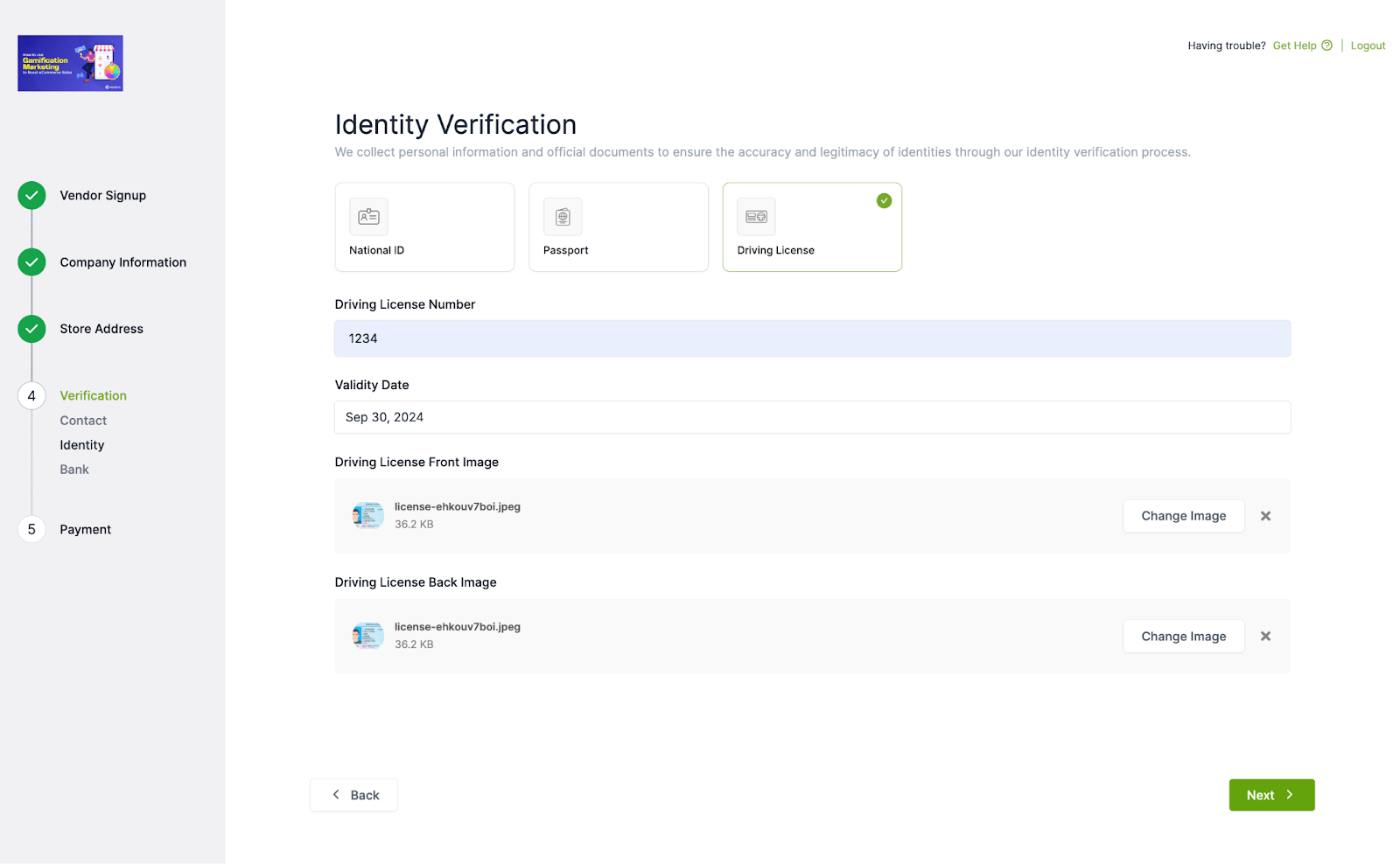
Then, vendors need to upload their-
- National ID or
- Passport or
- Driver’s License
To verify their ID-
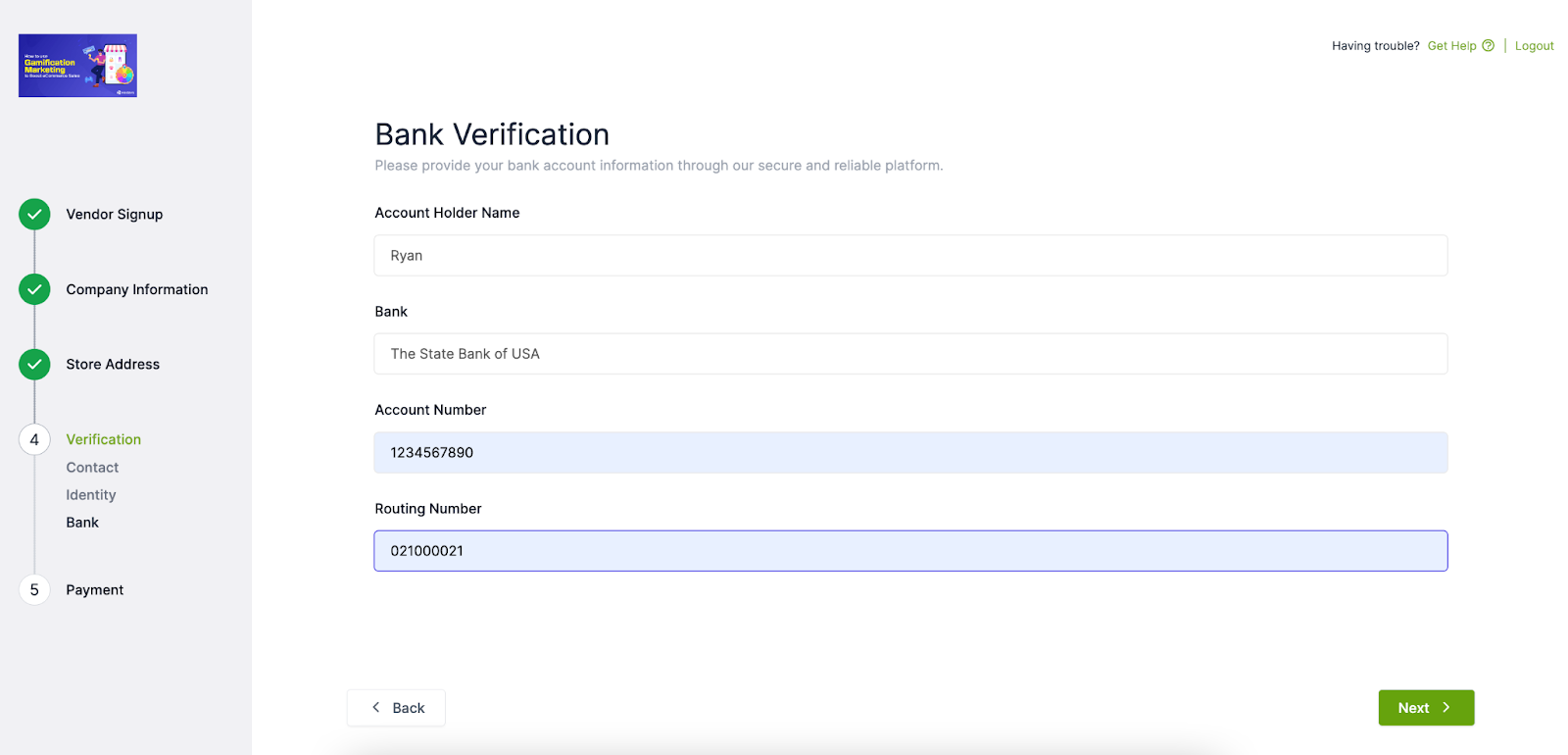
Also, they need to upload their bank information as well.
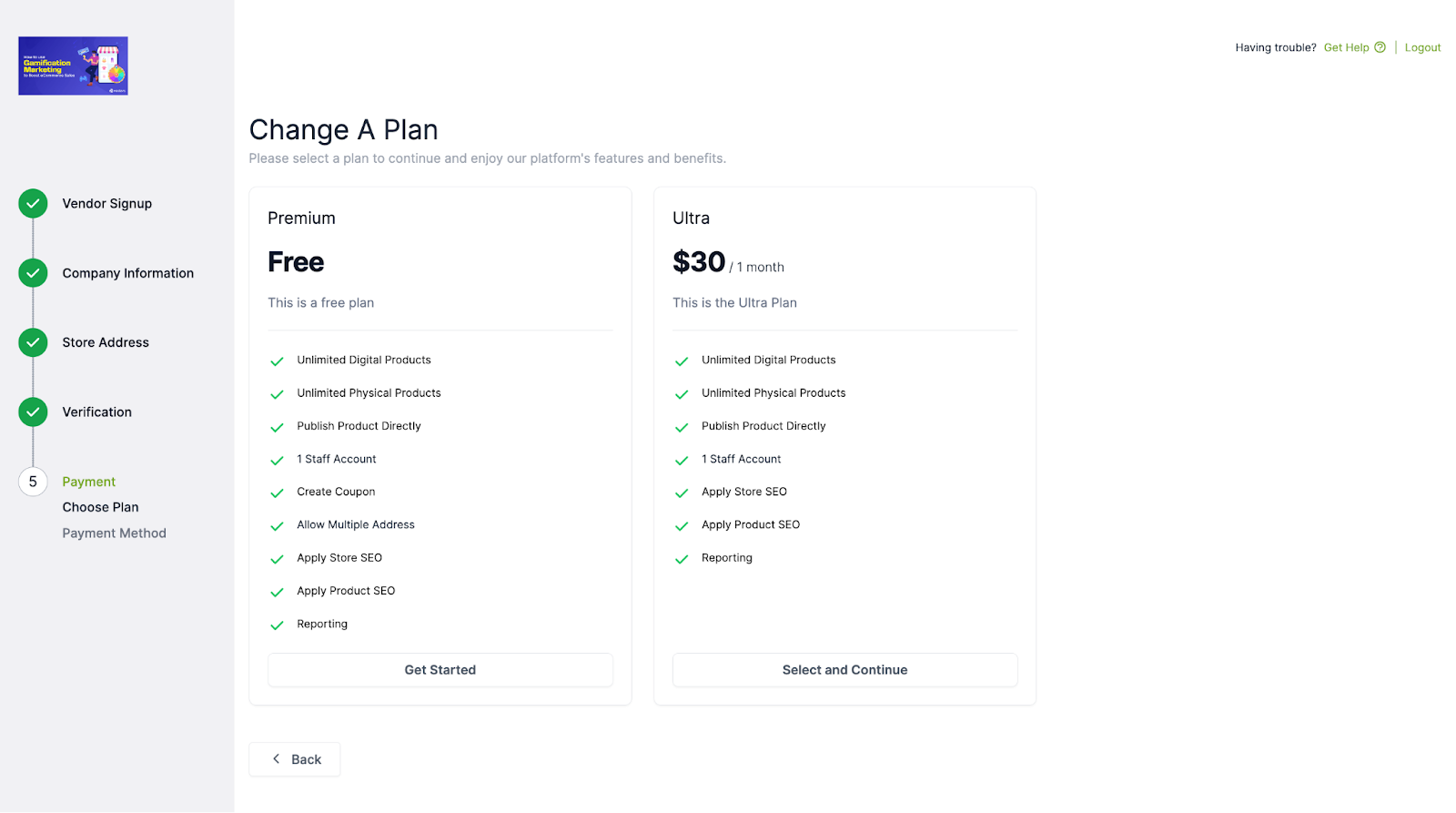
They will need to choose a subscription plan. If they choose a free subscription plan then they don’t need to go through the payment process,
But if they choose the paid subscription plan, they need to go through the payment process-
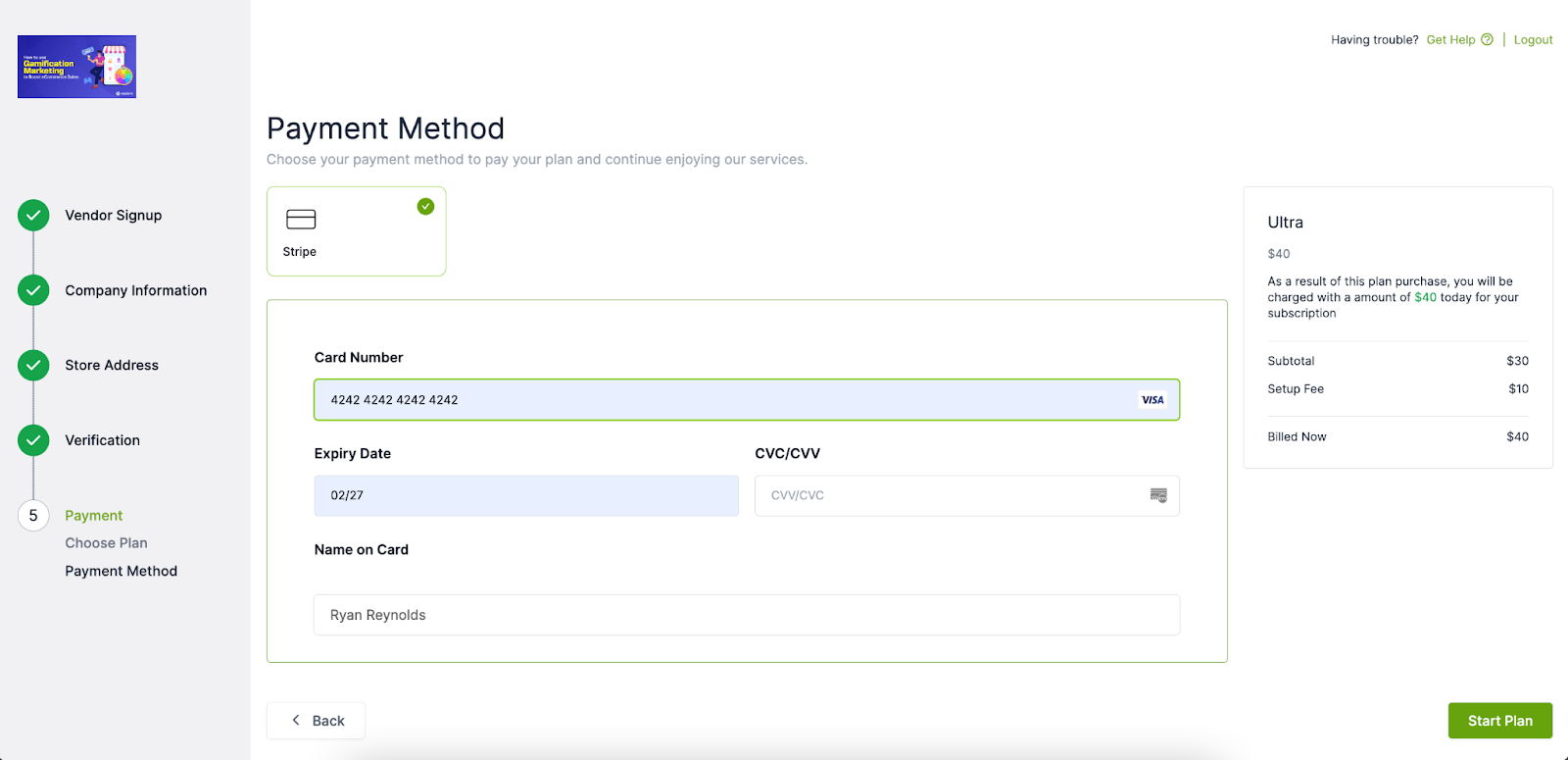
Finally, after completing the payment, they will be redirected to the vendor dashboard-
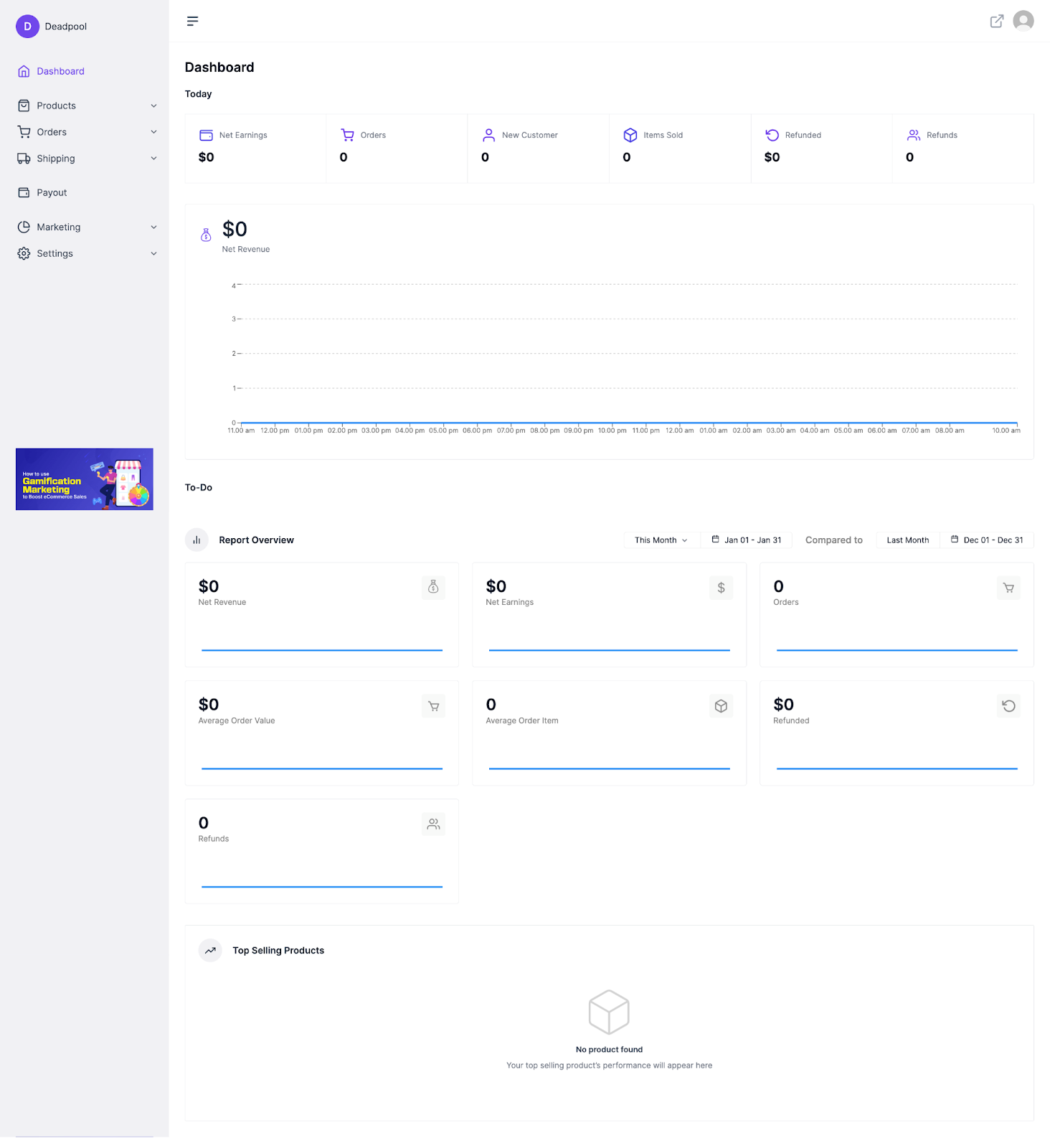
Thus completing the vendor registration process.
Последнее изменение: 25/02/2026
Спасибо!